GenE
An AI powered data console redesigned for
faster decisions across complex datasets.
Overview
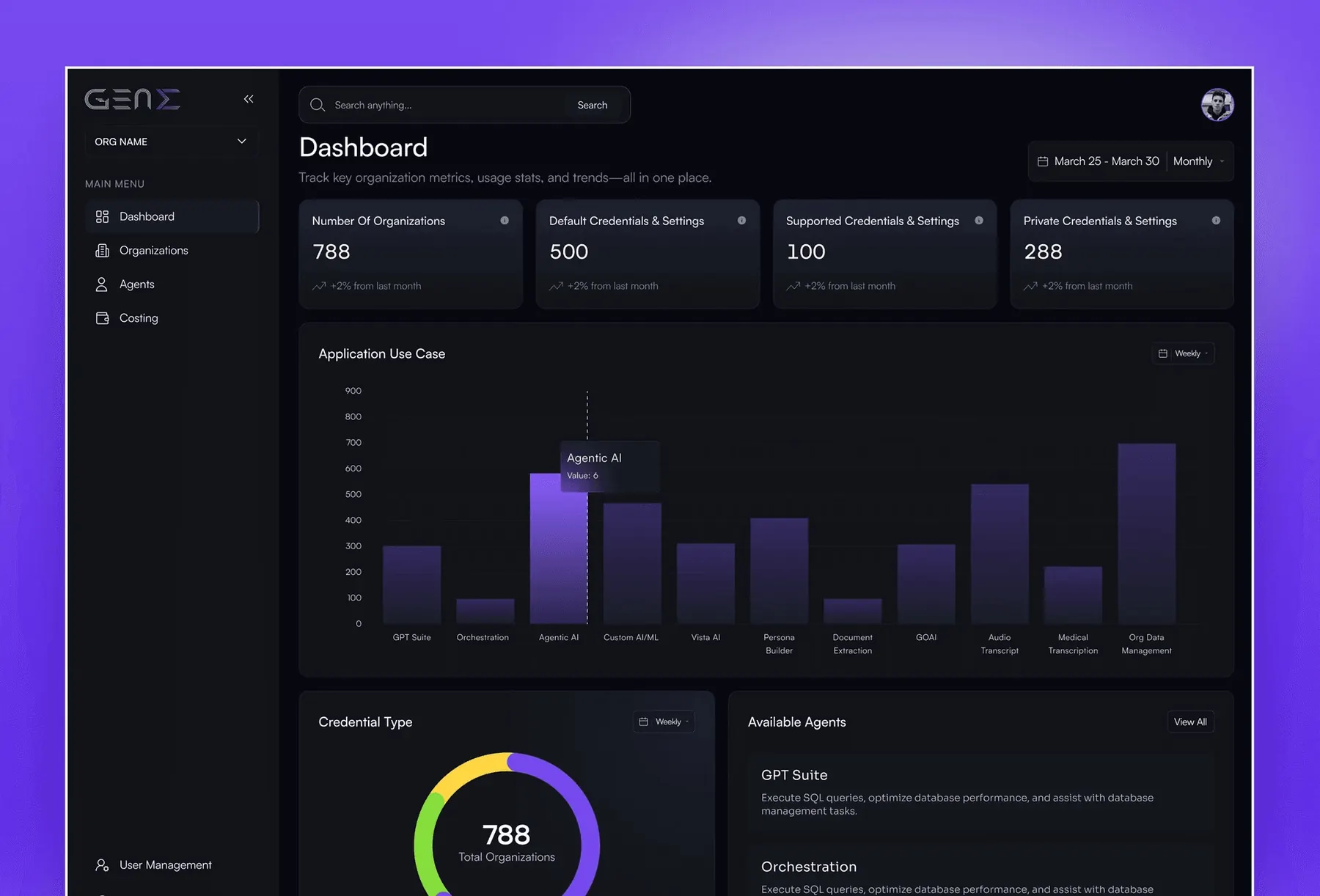
GenE is a web based AI data console designed to help teams manage organisations, monitor usage, analyse operational metrics, and access AI agents from a unified interface. The platform brings data visualisation, credential management, agent discovery, and usage monitoring into a structured workspace.
My role focused on designing the web application experience, with an emphasis on dark mode, modular dashboards, and clearer navigation across data intensive workflows. The goal was to make complex operational information easier to scan, interpret, and act on without overwhelming users with competing interface elements.
The Problem
Data intensive applications often present users with multiple metrics, charts, tables, and management controls at once. Without a clear visual hierarchy, finding relevant information becomes difficult, slowing down analysis and making routine operational tasks more demanding.
GenE needed an interface that could bring organisational data, AI usage metrics, credentials, and agent management into one coherent system. The challenge was to support these different workflows while keeping the experience readable, navigable, and consistent as the volume of information increased.
The Approach
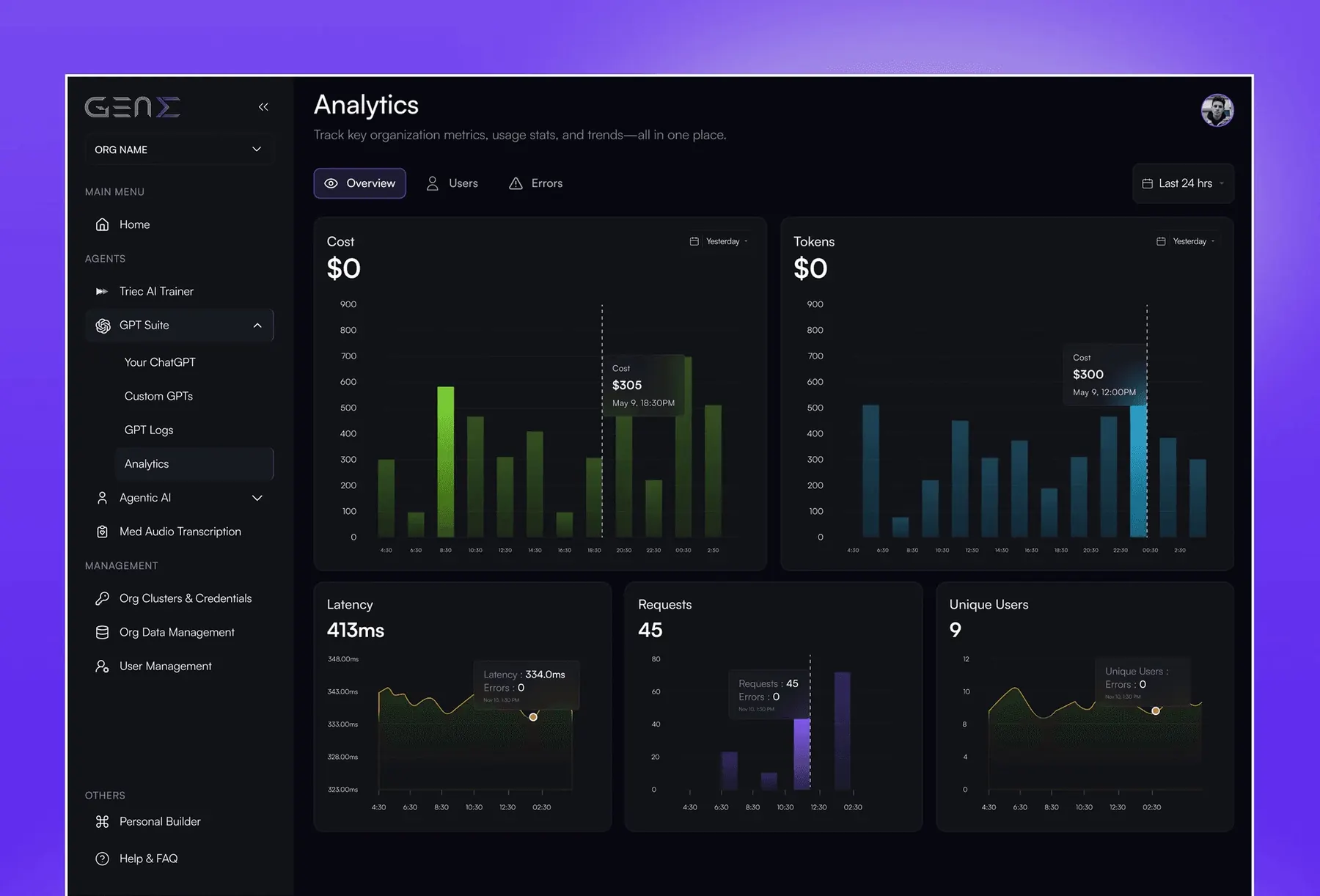
I approached GenE as a modular operational console, organising the interface around the tasks users perform rather than presenting every available metric with equal priority. A persistent sidebar provides access to key areas, while structured content panels separate analytics, organisation management, and agent discovery into distinct workflows.
The dashboard uses summary cards and visualisations to make high level metrics easier to scan. The analytics interface separates cost, token usage, latency, requests, and user activity into dedicated chart panels, helping users inspect different aspects of system performance without navigating away from the main workspace.
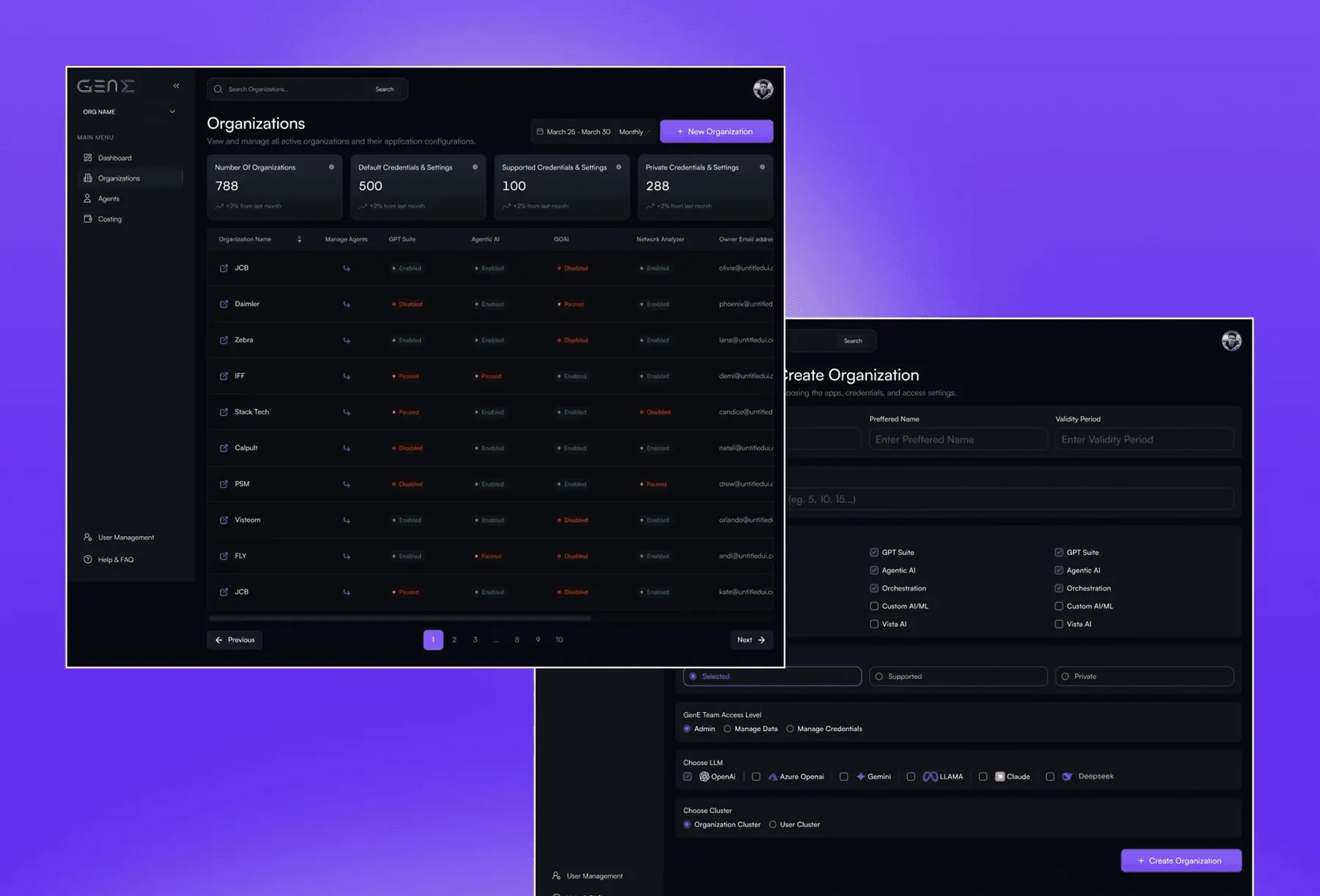
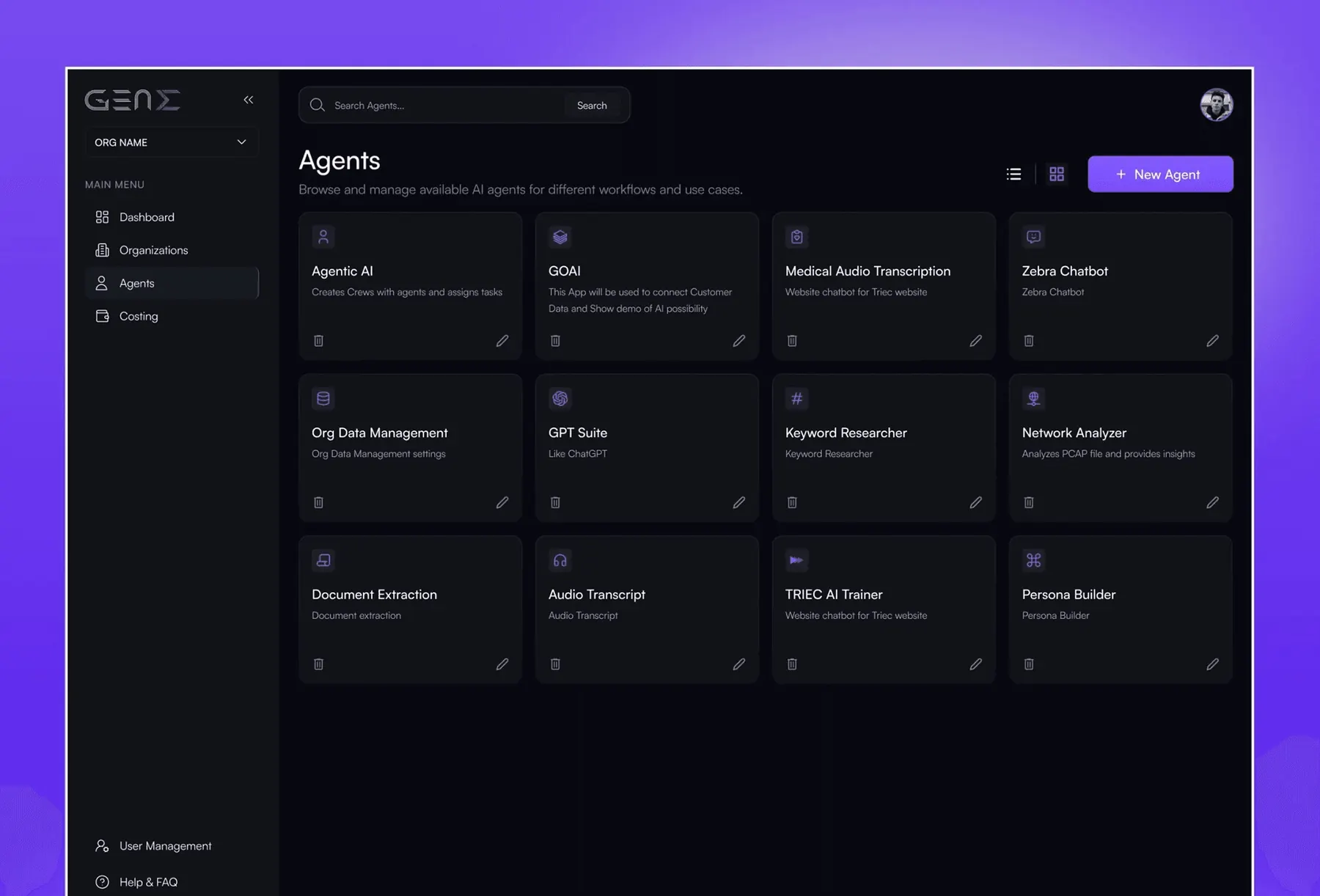
For organisation management, I designed structured tables and creation forms to support organisation setup and configuration. The agent directory uses a card based layout to make available agents easier to browse, compare, and access. Across these screens, a dark visual foundation, modular components, and consistent spacing help maintain clarity while accommodating information dense interfaces.
The Results
What I'd Do Differently
I'd test the dark mode palette with users over longer sessions and across different screen sizes. While the visual system supports information dense dashboards, contrast, chart readability, and the visibility of secondary controls need to be validated in the environments where people actually work.
I'd also document the modular components and dashboard patterns more formally from the beginning. A shared component library, chart guidelines, and consistent rules for tables and configuration forms would make it easier to introduce new analytics views and management features without repeatedly solving the same layout problems.
What I Learned
Hierarchy is a functional advantage. In data intensive applications, making the right information easier to find can be more valuable than introducing additional functionality. Clear grouping and prioritisation help users move from scanning information to taking action.
Modularity supports product growth. Reusable dashboard cards, chart panels, tables, and form patterns allow new capabilities to be introduced without fragmenting the interface. Consistency becomes especially important as the number of workflows grows.
Design decisions need measurable outcomes. Tracking task completion time, error rates, efficiency, and user satisfaction provides a stronger basis for evaluating interface changes than relying on visual preference alone.